
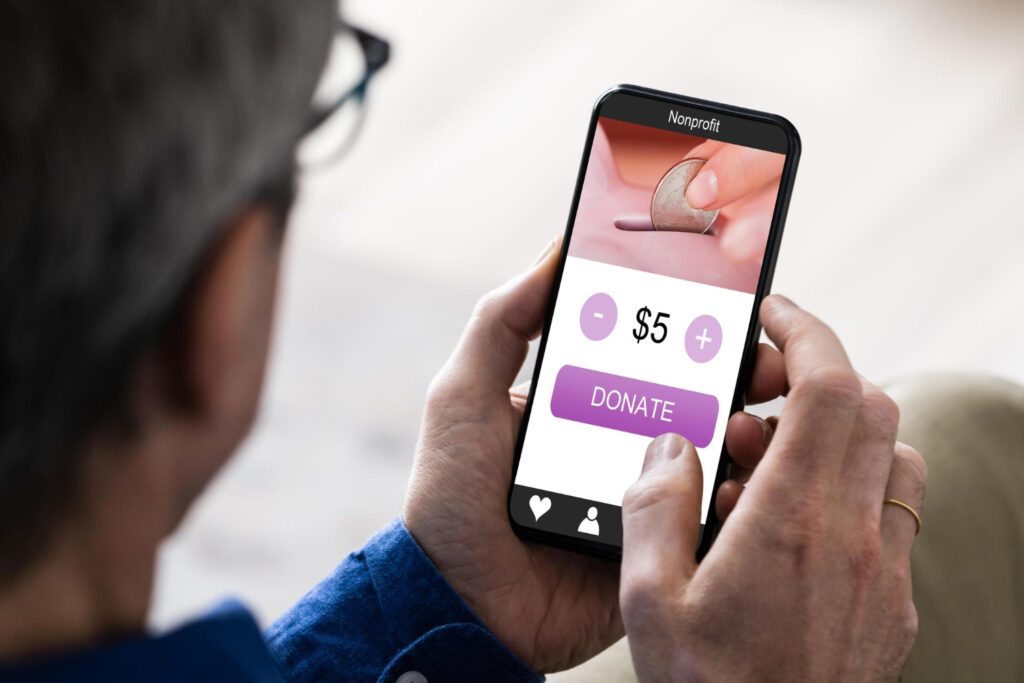
Ditch the Paper Chaos and Launch a Modern Fundraiser
Running a fundraiser with paper order forms feels like juggling loose papers in a windstorm. Forms get lost in backpacks, totals do not add up, and someone is always chasing down missing cash or checks. With a group fundraising app, you see everything in one place, money goes straight online, and parents can share with a few taps instead of knocking on doors in the rain or snow.
October is one of the busiest fundraising months for schools, youth sports, and community groups. It is also when the weather starts pushing everyone indoors, which makes door-to-door selling even less fun. That makes this the perfect time to switch from paper to a simple online system.
Here we will walk through a clear 30-day migration plan. You will see how to train your adults, clean and enter your data, build offline backup options, and use ready-to-send parent messages so your next fundraiser feels calm instead of chaotic. We will also show how a group fundraising app like Team Butter can support that move with virtual stores, product catalogs, and built-in tools that keep 50% or more of every sale with your group.
Map Your 30-Day Transition Game Plan
Think of your 30-day switch as a short season with four weeks of focus, not a huge tech project. Over the month, you will move from choosing a platform to setting it up, training the adults who will support families, and finally launching with a clear plan for monitoring and backups.
- Week 1: Plan and choose your group fundraising app
- Week 2: Set up your fundraiser and move your data
- Week 3: Train coaches, teachers, and parent leaders
- Week 4: Launch, monitor, and adjust with backups ready
It also helps to be clear about who does what from the start, so questions and tasks do not pile up on one person. The main organizer focuses on choosing the app, setting dates and goals, and building the main fundraiser. Team leaders or teachers help families sign up, share links, and cheer on their group. A treasurer or booster lead checks reports, watches payouts, and keeps everything transparent.
Set a few simple goals you can track inside the app so you know whether the transition is working as the fundraiser runs.
- By Day 10: At least 80% of participants are registered
- By Day 20: Most families have at least one online order
- By Day 30: You have met the profit goal for tournaments, trips, uniforms, or class extras before winter break
When your goals live in the app, it is easier to see progress in real time and nudge people when you need a push.
Week 1: Choose Your Platform and Clean Up Your Data
First, choose a group fundraising app built for youth teams, schools, and community groups. Key features to look for include:
- Secure online payments
- Individual seller links or codes
- Built-in product catalogs like popcorn, cookie dough, and pet treats
- Simple, clear reporting
- Mobile-friendly sharing for texts and social media
Team Butter is designed around these needs, with virtual stores, easy sharing, and digital tools for tracking sales while keeping 50% or more of every order with your group.
Next, clean up the information you actually need. From your paper process, keep things like:
- Participant first and last name
- Team, class, or group
- Grade level or age level if helpful
- Coach or teacher name
- A parent email or phone for each participant
You can drop old habits that cause headaches, like writing down cash notes in the margins or collecting extra personal details you never use. The goal is a clean, simple list that is easy to upload, message, and manage.
Create one spreadsheet for all groups so you have a single source of truth instead of multiple versions floating around. Basic columns might be:
- First Name
- Last Name
- Team or Class
- Parent Email
- Parent Phone
Ask coaches or teachers to send their rosters in this format. This becomes the backbone of your setup and will save you hours later when you start sending messages and reports.
Week 2: Build Your Online Fundraiser and Migrate Orders
Now it is time to build your event inside the app so it replaces stacks of envelopes and tally sheets. Start by setting up the core details:
- Start and end dates
- Overall profit goal
- Product selection like popcorn, cookie dough, pet treats, and fun fall flavors
- Teams, classes, or groups for leaderboards and friendly contests
Inside a platform like Team Butter, each participant can have a personal store link. That means you no longer need separate order forms or cash tracking per student or player, because sales can be attributed automatically.
Next, upload or enter your cleaned list from Week 1. As you import, make sure each seller is assigned to the right:
- Team or classroom
- Coach or teacher
- Goal, if you want to track by group
Team Butter supports simple onboarding so families can join with a link or code, which keeps setup quick.
If you are switching in the middle of a paper fundraiser, you do not have to start over. Bring everything you already collected into the digital system so records, prizes, and credits stay accurate.
- Collect all current paper forms
- Check the math by hand one last time
- Enter totals into the app as bulk orders or per participant
- Assign each sale to the right seller so prizes and credits stay fair
Take a few extra minutes to double-check totals now. It prevents awkward conversations later when prizes or team rankings are on the line.
Week 3: Train Your Adults and Support Your Families
A short training goes a long way. Plan a 30 to 45 minute session for organizers and leaders, either in person or online. Cover:
- How to log in
- How to view the main dashboard
- Where to find each seller’s link
- How to check team progress
- How to export simple reports for treasurers
The interface in Team Butter is built to feel simple enough to learn in minutes, which lowers tech stress for busy adults.
For parents, keep instructions to one screen or one page so they can act quickly without getting overwhelmed. A basic guide might include:
- How to sign up or confirm their child’s account
- How to share the store link by text, email, or social media
- How to see orders and delivery details
- Who to contact for help
Make sure to point out how this saves time. No more hunting for checks, signing paper forms, or sending cash to school in backpacks.
Set clear support paths so families know exactly where to go when something comes up, and so leaders do not duplicate effort. Decide:
- Will questions go to a fundraising captain, main organizer, or coach?
- When should families contact the app’s support team?
- Where can they see a short FAQ?
Common FAQ topics include:
- What if someone cannot pay online?
- Can family in another state order and ship to their home?
- How are prizes tracked and rewarded?
Having these answers ready calms nerves and keeps the fundraiser moving smoothly.
Week 4: Launch, Monitor, and Prepare Offline Backups
Before launch day, walk through a quick checklist:
- Place a test order to make sure checkout works
- Confirm start and end dates
- Check that payout details are correct
- Make sure every participant has a link and their name is spelled right
Then send a clear launch message through email, text, and social channels at roughly the same time so families hear a single, consistent story.
During the fundraiser, use the live dashboard to stay proactive rather than reactive. Real-time visibility helps you spot what needs attention and keep momentum high with less effort.
- Spot teams or classes that are behind
- Send focused reminders where needed
- Run fun fall mini-challenges like “Weekend Popcorn Push” or “10 Orders Tonight” contests
You still need a simple backup for situations where internet access is weak or a family truly cannot use online checkout. Keep the main system digital, but prepare a lightweight offline plan:
- Allow a small number of paper backup forms for those who truly need them
- Pick one person to enter those paper orders into the app each week
- Set a regular time to reconcile totals and confirm nothing is missing
That way you protect every sale but keep the process simple and organized.
Make This Your Last Paper Fundraiser Ever
After the fundraiser closes, schedule a 20 minute debrief with your organizers. Compare this digital run to your old paper method and talk through what changed in a concrete way:
- Time saved setting up and counting money
- Fewer math errors or lost forms
- Parent feedback on online ordering
- Participation levels by team or classroom
Write down what worked well and what you want to tweak next time, while it is still fresh.
Turn this 30-day plan into a reusable playbook so the next fundraiser is faster to launch and easier to manage. Save:
- Your cleaned participant list
- Parent email and text templates
- Your training agenda and FAQ
- A simple timeline by week
Next season, you can spin up a new fundraiser in days instead of weeks. A group fundraising app like Team Butter already includes online product catalogs, digital tools for organizers, and built-in ways to keep communication clear, so each future fundraiser can be safer, easier, and far less messy than stacks of paper ever were.
Make Your Next Fundraiser Easier and More Profitable
If you are ready to simplify fundraising for your team or club, our group fundraising app is built to help you reach your goals faster. At Team Butter, we streamline the entire process so you can focus on your athletes instead of logistics. Get started today and see how easy it can be to organize, track, and grow your next fundraiser.